
Overview
The package provides two ggplot2 themes:
-
theme_t2m(): Clean, minimal theme with white background and viridis palette -
theme_solaris(): Warmer aesthetic with cream background and gold/amber palette
Both themes automatically detect and style ggraph network plots.
Theme Text2map
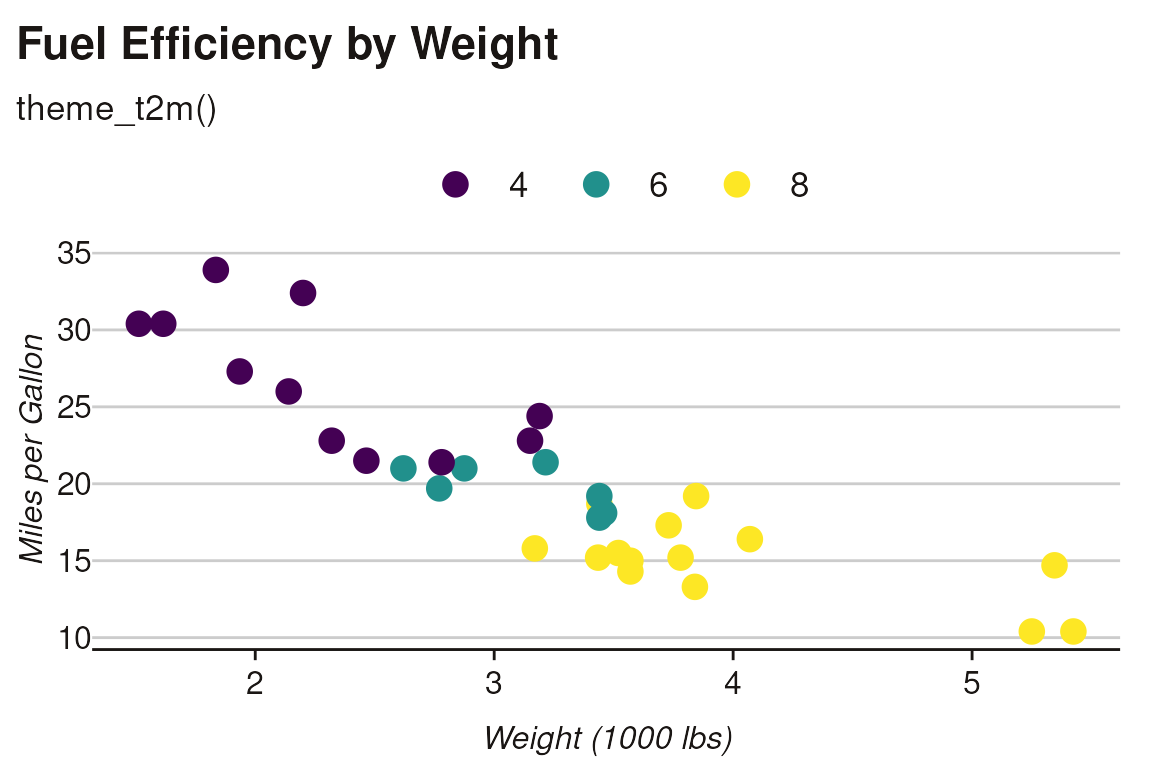
The default theme optimized for standard visualizations:
ggplot(mtcars, aes(wt, mpg, color = factor(cyl))) +
  geom_point(size = 4) +
  scale_color_viridis_d() +
  theme_t2m() +
  labs(
    title = "Fuel Efficiency by Weight",
    subtitle = "theme_t2m()",
    x = "Weight (1000 lbs)",
    y = "Miles per Gallon",
    color = "Cylinders"
  )
Theme Solaris
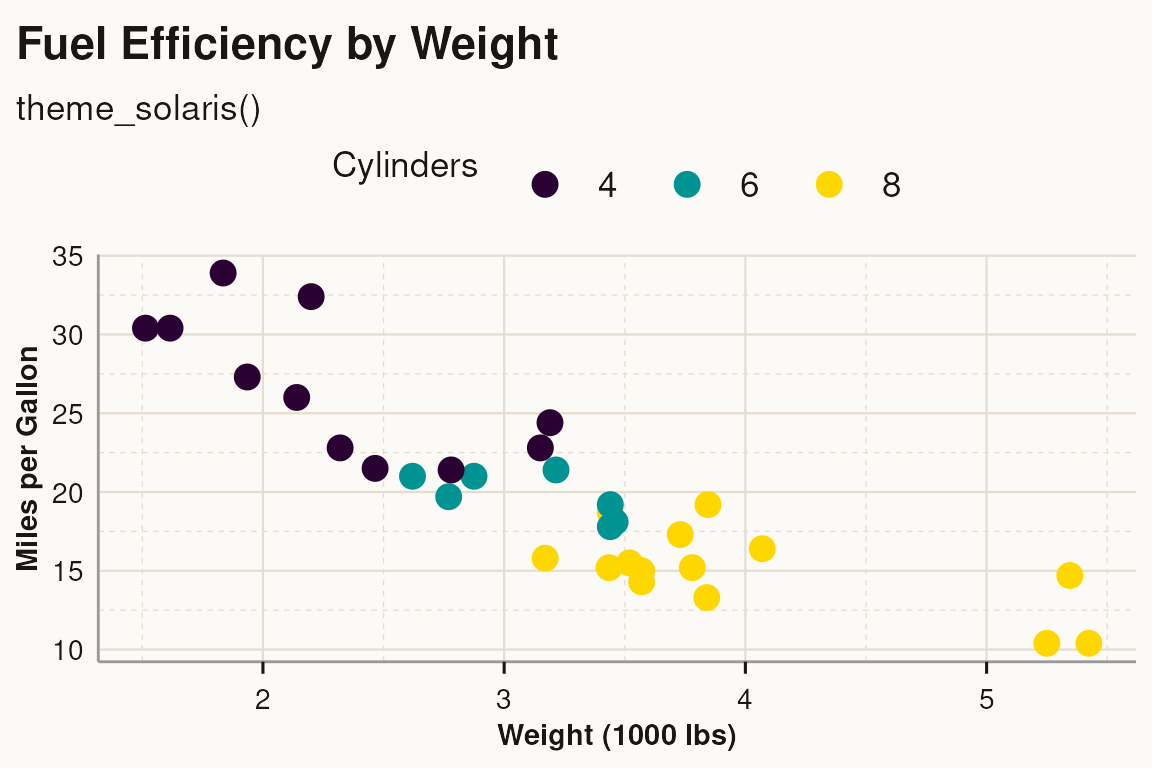
A warmer theme with cream background:
ggplot(mtcars, aes(wt, mpg, color = factor(cyl))) +
  geom_point(size = 4) +
  scale_color_solaris_d() +
  theme_solaris() +
  labs(
    title = "Fuel Efficiency by Weight",
    subtitle = "theme_solaris()",
    x = "Weight (1000 lbs)",
    y = "Miles per Gallon",
    color = "Cylinders"
  )
Side-by-Side Comparison
Compare both themes with identical data:
p1 <- ggplot(mtcars, aes(wt, mpg, color = factor(cyl))) +
  geom_point(size = 3) +
  scale_color_viridis_d() +
  theme_t2m() +
  labs(title = "theme_t2m()", color = "Cylinders") +
  theme(legend.position = "none")

p2 <- ggplot(mtcars, aes(wt, mpg, color = factor(cyl))) +
  geom_point(size = 3) +
  scale_color_solaris_d() +
  theme_solaris() +
  labs(title = "theme_solaris()", color = "Cylinders") +
  theme(legend.position = "none")

p1 | p2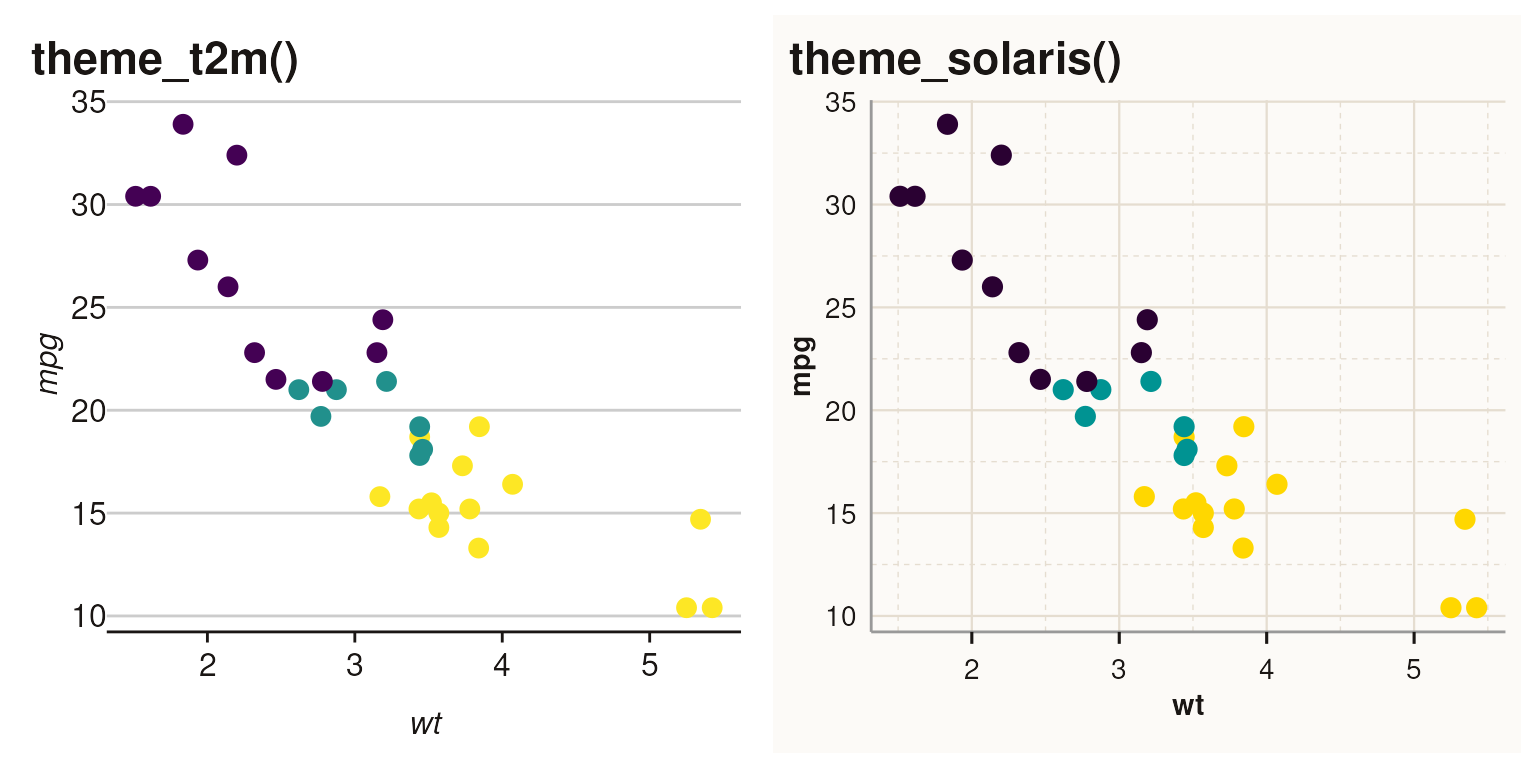
Faceted Plots
Both themes support faceted visualizations. The strip styling differs between themes:
p1 <- ggplot(mtcars, aes(wt, mpg)) +
  geom_point(size = 3) +
  facet_wrap(~cyl) +
  scale_color_viridis_d() +
  theme_t2m() +
  labs(title = "theme_t2m()", color = "Cylinders") +
  theme(legend.position = "none")

p2 <- ggplot(mtcars, aes(wt, mpg)) +
  geom_point(size = 3) +
  facet_wrap(~cyl) +
  scale_color_solaris_d() +
  theme_solaris() +
  labs(title = "theme_solaris()", color = "Cylinders") +
  theme(legend.position = "none")

p1 | p2
#> Ignoring unknown labels:
#> • colour : "Cylinders"
#> Ignoring unknown labels:
#> • colour : "Cylinders"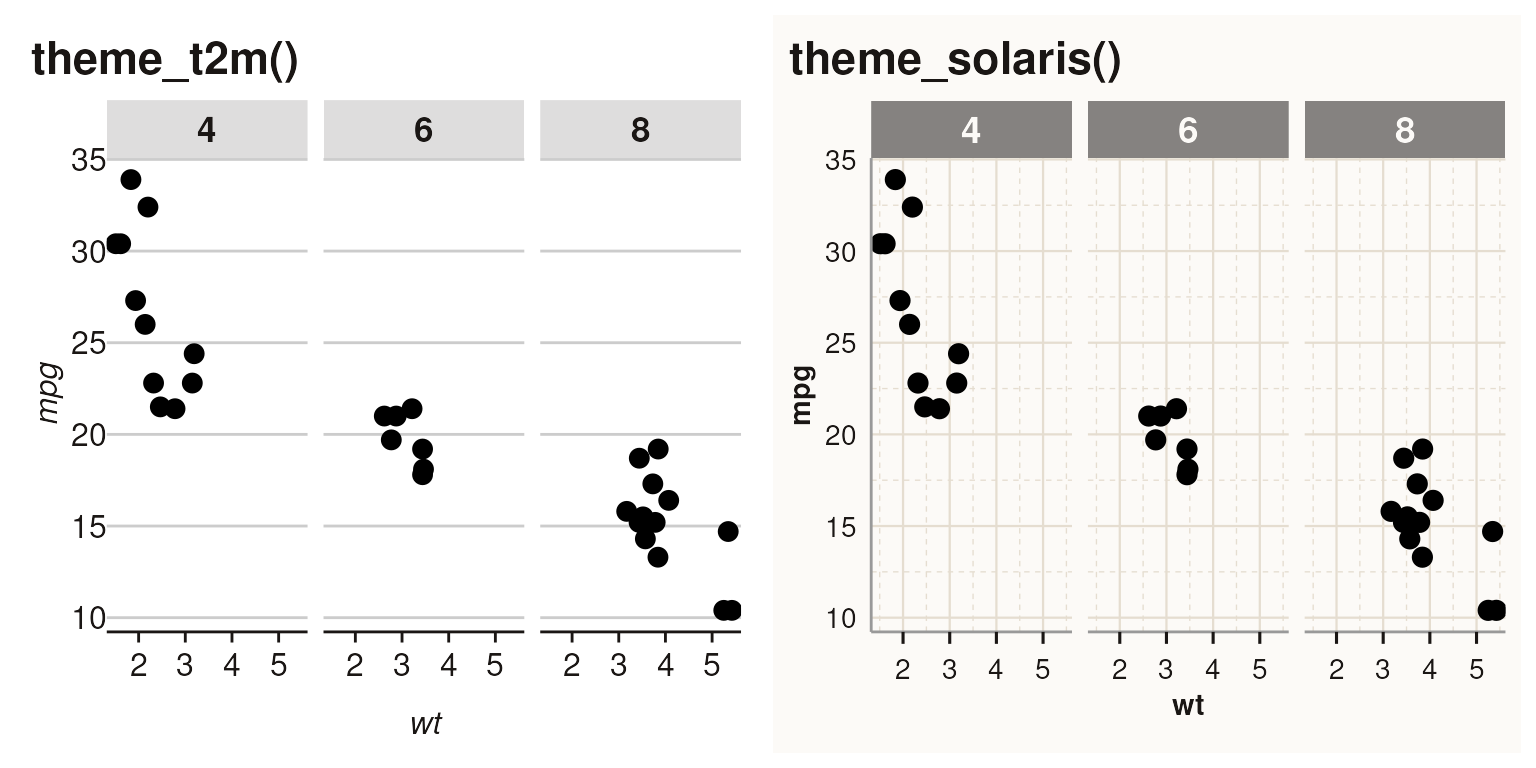
Key differences in facet strips: - t2m: Light gray
background (#dedddd) with black bold text -
solaris: Warm gray background (#858280)
with cream text
Print vs Screen Medium
Both themes support a medium parameter for print
optimization:
-
medium = "screen"(default): Optimized for digital displays -
medium = "print": Darker colors, heavier lines for better physical reproduction
# Screen medium (default)
p_screen <- ggplot(mtcars, aes(wt, mpg, color = factor(cyl))) +
  geom_point(size = 3) +
  scale_color_solaris_d() +
  theme_solaris(medium = "screen") +
  labs(title = "medium = 'screen'", color = "Cylinders") +
  theme(legend.position = "none")

# Print medium
p_print <- ggplot(mtcars, aes(wt, mpg, color = factor(cyl))) +
  geom_point(size = 3) +
  scale_color_solaris_d() +
  theme_solaris(medium = "print") +
  labs(title = "medium = 'print'", color = "Cylinders") +
  theme(legend.position = "none")

p_screen | p_print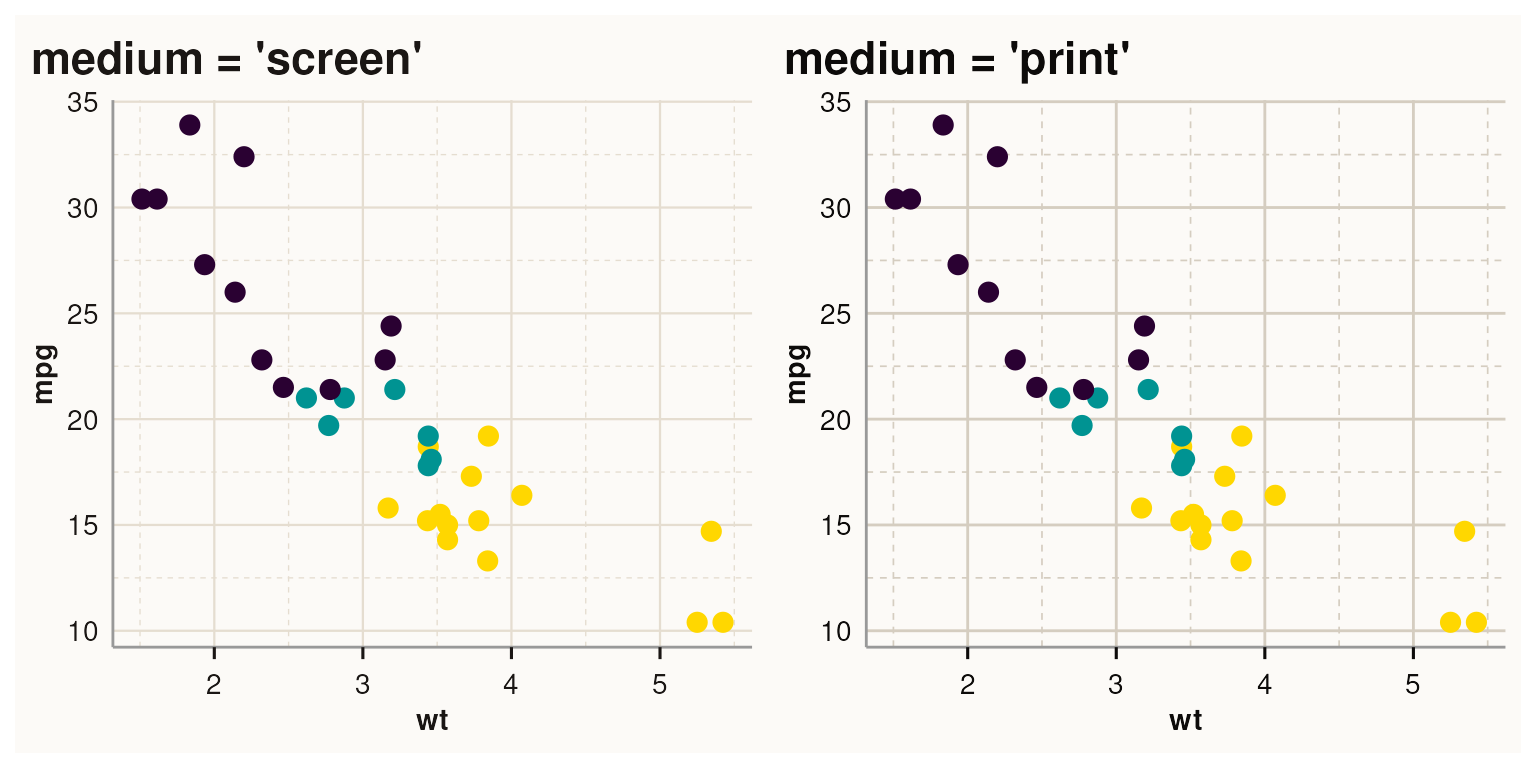
Print medium adjustments: - Darker text: #0d0b0a vs
#1a1614 - Darker grid lines: +0.1 linewidth - Darker grid
colors: #d5cdc0 (solaris), #aaaaaa
(text2map)
When to Use Which Theme
| Scenario | Recommended Theme |
|---|---|
| Academic papers, white background | theme_t2m() |
| Warm presentations, printed materials | theme_solaris() |
| Dark background slides |
theme_t2m() + inferno palette |
| Colorblind accessibility | viridis palette (either theme) |
| Grayscale printing |
theme_t2m() + grayscale palette |
Using with set_theme()
The set_theme() function configures both the theme and
palette globally:
# Set text2map theme with viridis (default)
set_theme()

# Set solaris theme
set_theme(palette = "solaris")

# Set print medium
set_theme(medium = "print")

# Combine options
set_theme(palette = "solaris", medium = "print")
For patchwork plots, use explicit scale functions instead of
set_theme() to avoid lazy evaluation issues:
p1 <- ggplot(mtcars, aes(wt, mpg, fill = factor(cyl))) +
  geom_bar(stat = "identity") +
  scale_fill_viridis_d() +
  theme_t2m() +
  labs(title = "theme_t2m() + viridis") +
  theme(legend.position = "none")

p2 <- ggplot(mtcars, aes(wt, mpg, fill = factor(cyl))) +
  geom_bar(stat = "identity") +
  scale_fill_solaris_d() +
  theme_solaris() +
  labs(title = "theme_solaris() + solaris") +
  theme(legend.position = "none")

p1 | p2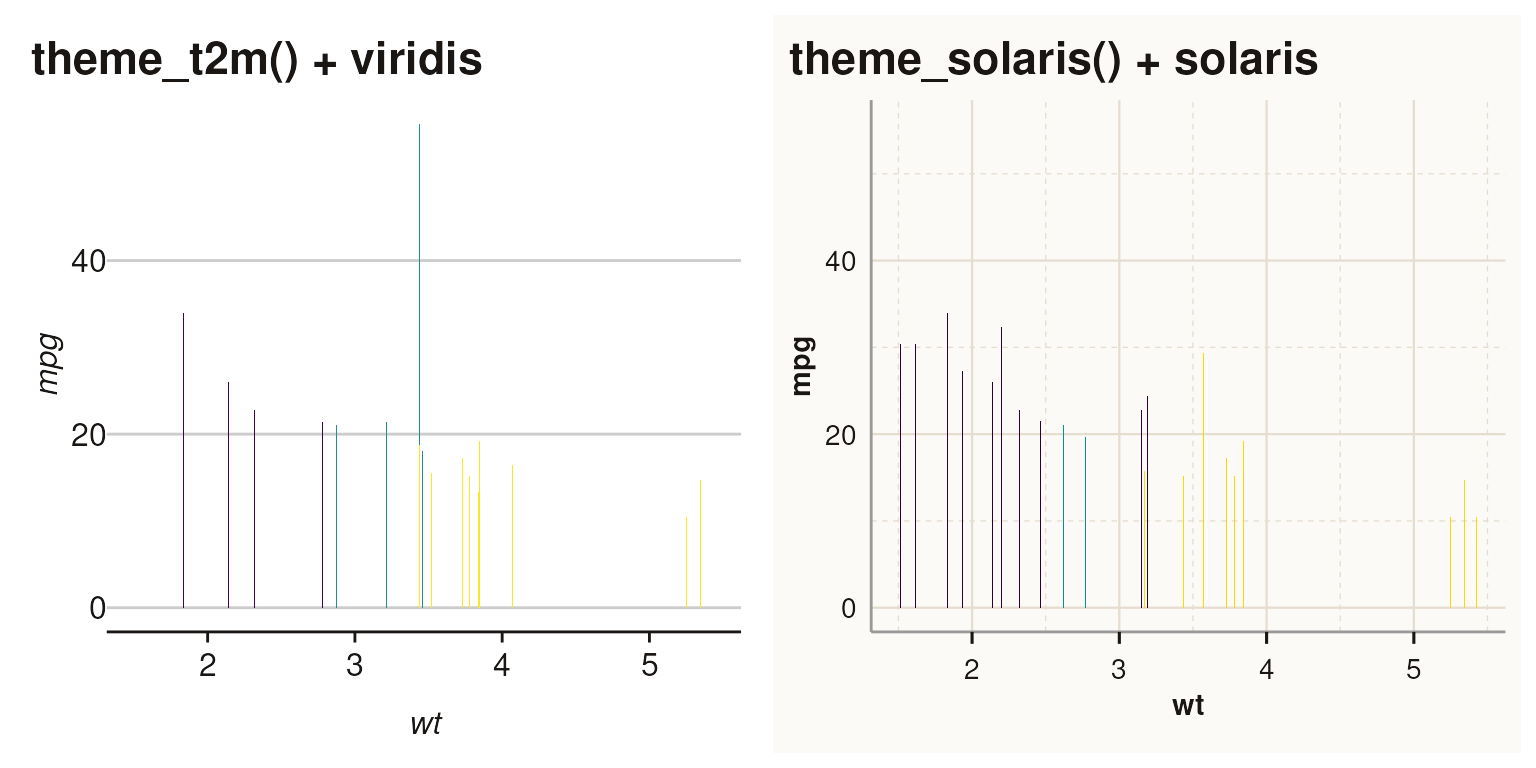
See
vignette("color_palettes", package = "text2map.theme") for
detailed palette comparisons.